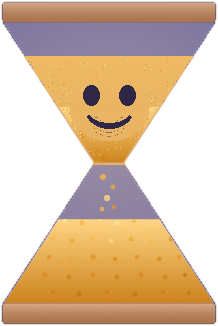
ChronoKeeper turns screen time into something kids earn — by completing missions and building good habits. Meet Chrono, the friendly hourglass who helps them tackle their day.
In closed beta now · public launch coming this summer
A simple loop: kids earn time, you approve, and the device does the enforcing.
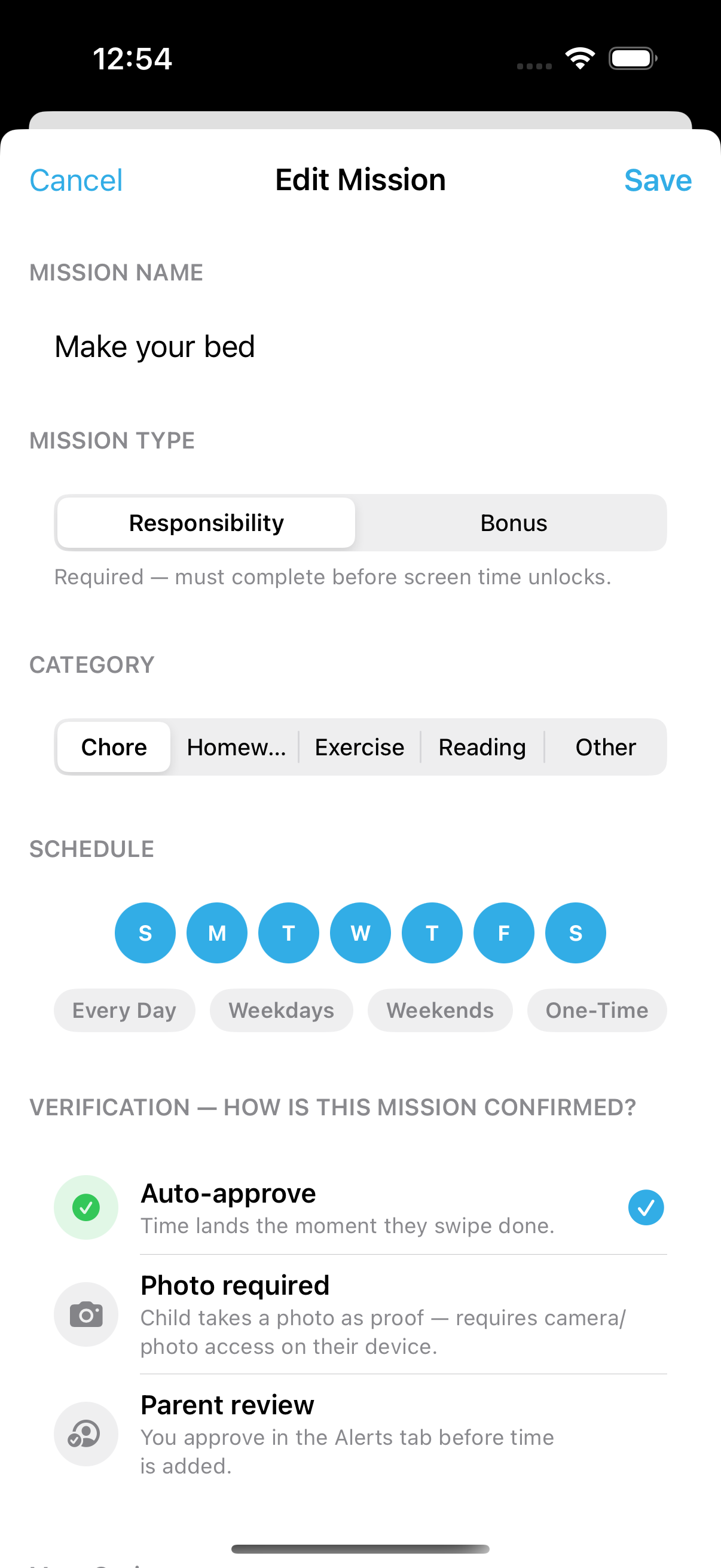
Assign chores, homework, reading or exercise — per kid, per day — and set what each is worth. Finishing a mission adds that time to the child's personal time bank.
Approve completions remotely with a tap, or right on your kid's device with your PIN. Ask for photo-proof on the big ones, or auto-approve the routine stuff.
Earned time, daily limits, bedtime and downtime run on Apple's Screen Time. When time's up, distracting apps lock on their own — calls and messages still work.
The parent's app is a mission console. The kid's device runs the enforcement. Here's what each looks like.
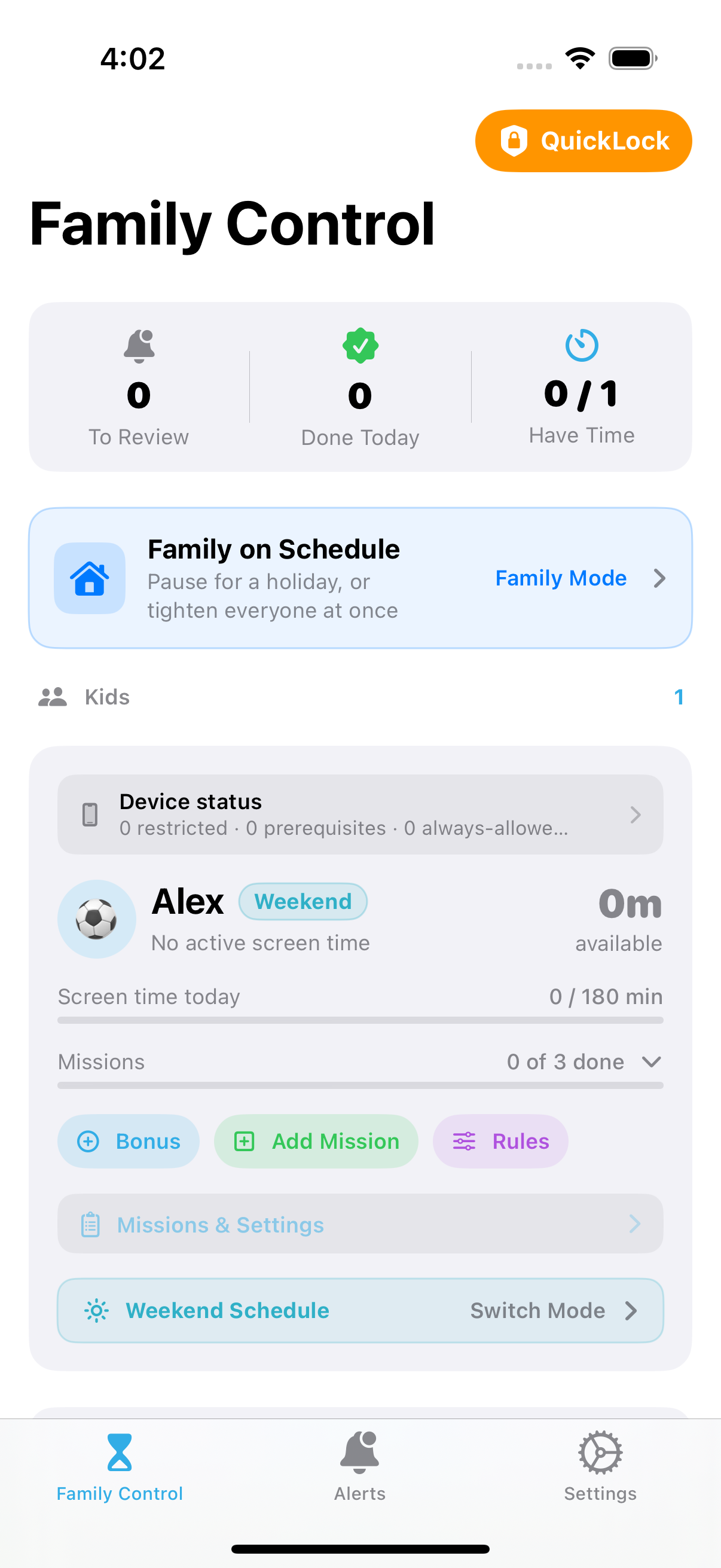
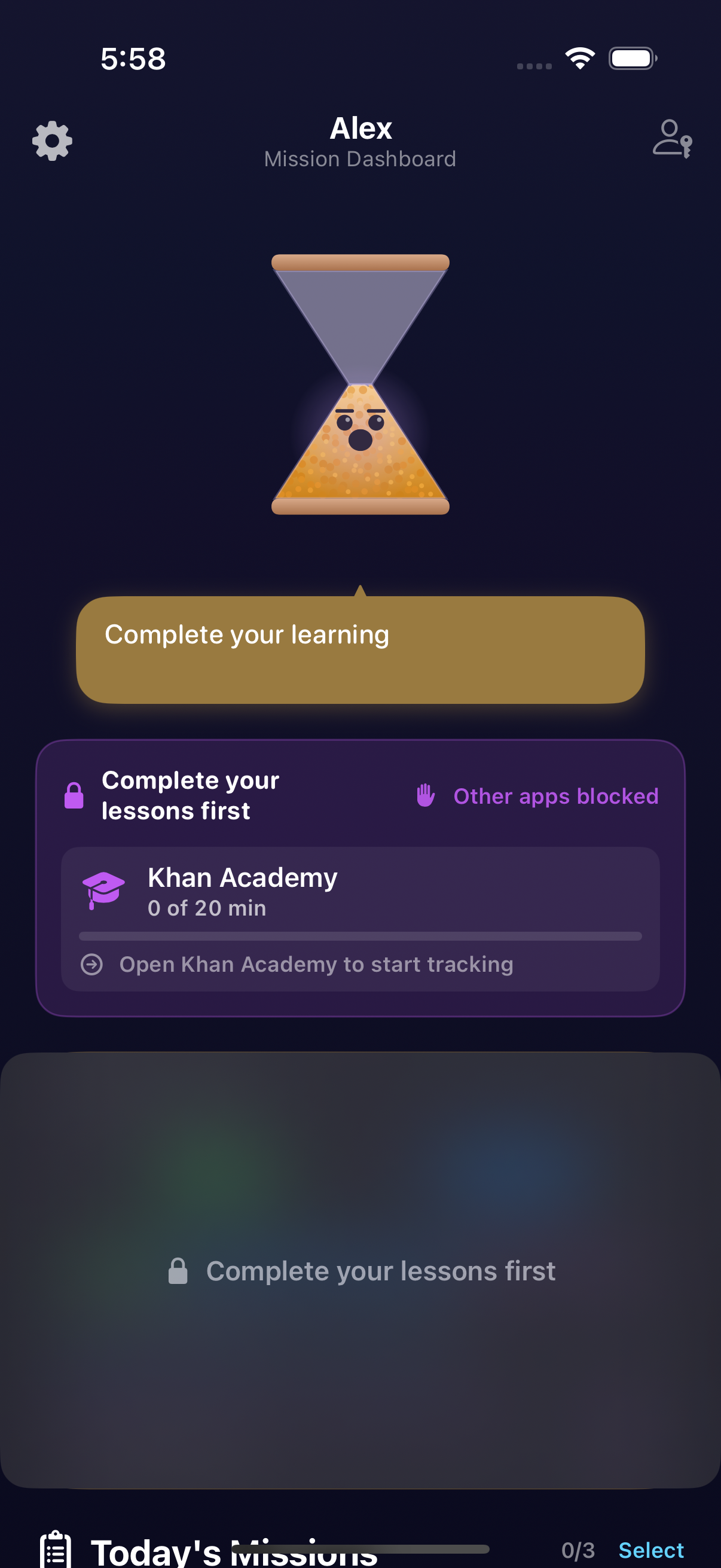
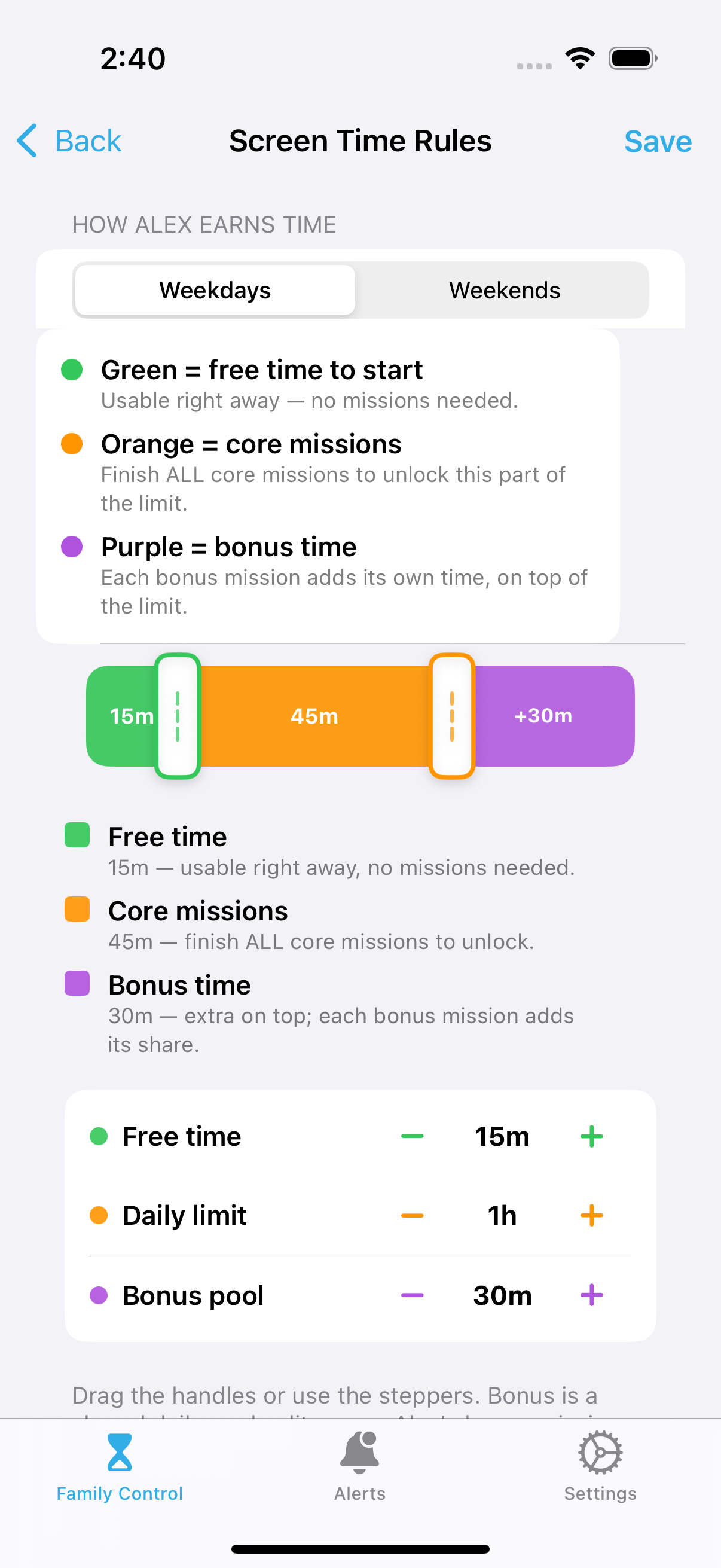
Set it up once. Then let it run.
Create your family on your device and add each kid. Pick age-based defaults or customize everything.
On their phone or iPad, ChronoKeeper walks the child through a short guided setup — they grant Apple's Screen Time permission and pick their apps. That's where the limits live, enforced locally where they're tamper-resistant. After pairing with a quick code, you manage everything remotely over iCloud — you never need their device again.
Homework, chores, reading, exercise — set what counts and how much time each is worth.
They complete missions, you approve (or auto-approve), and screen time unlocks. You get a heads-up.
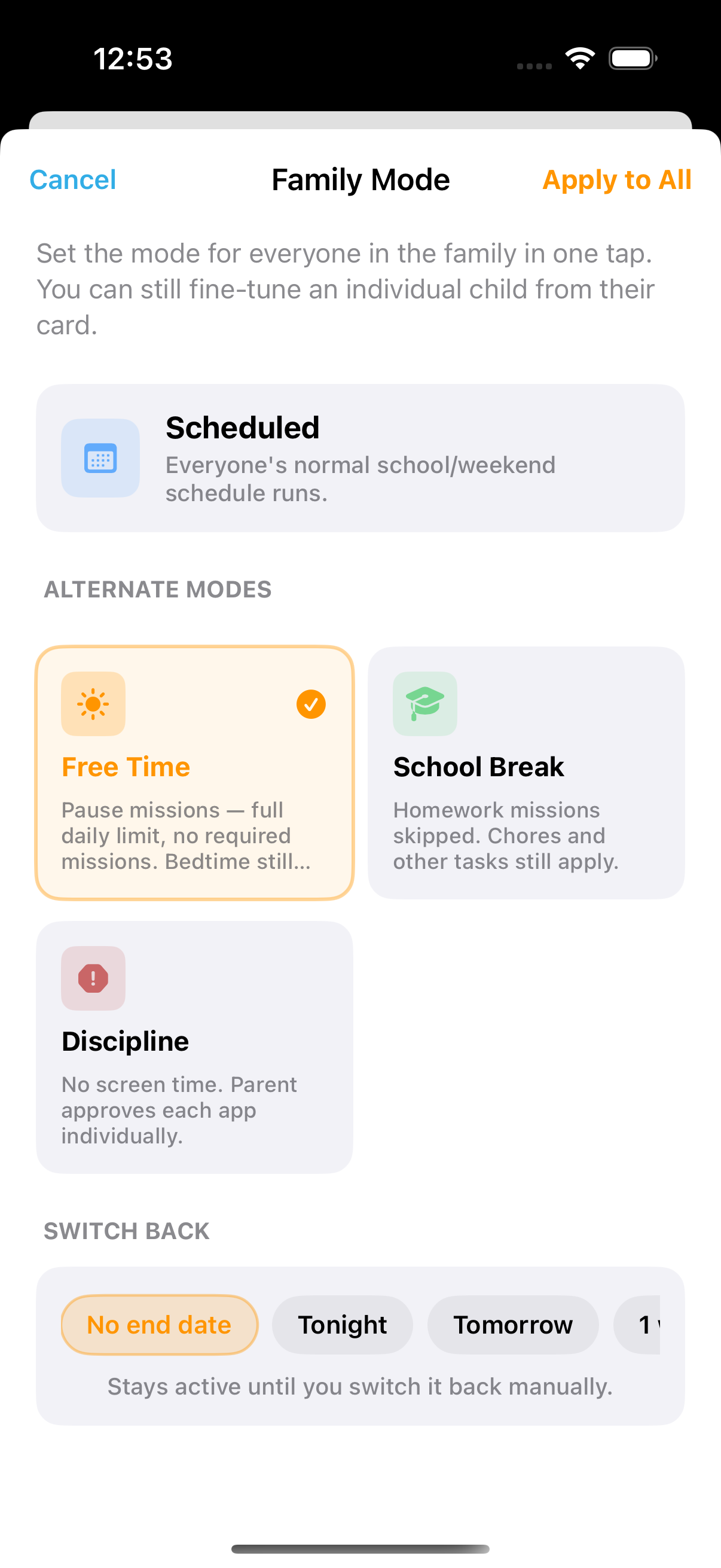
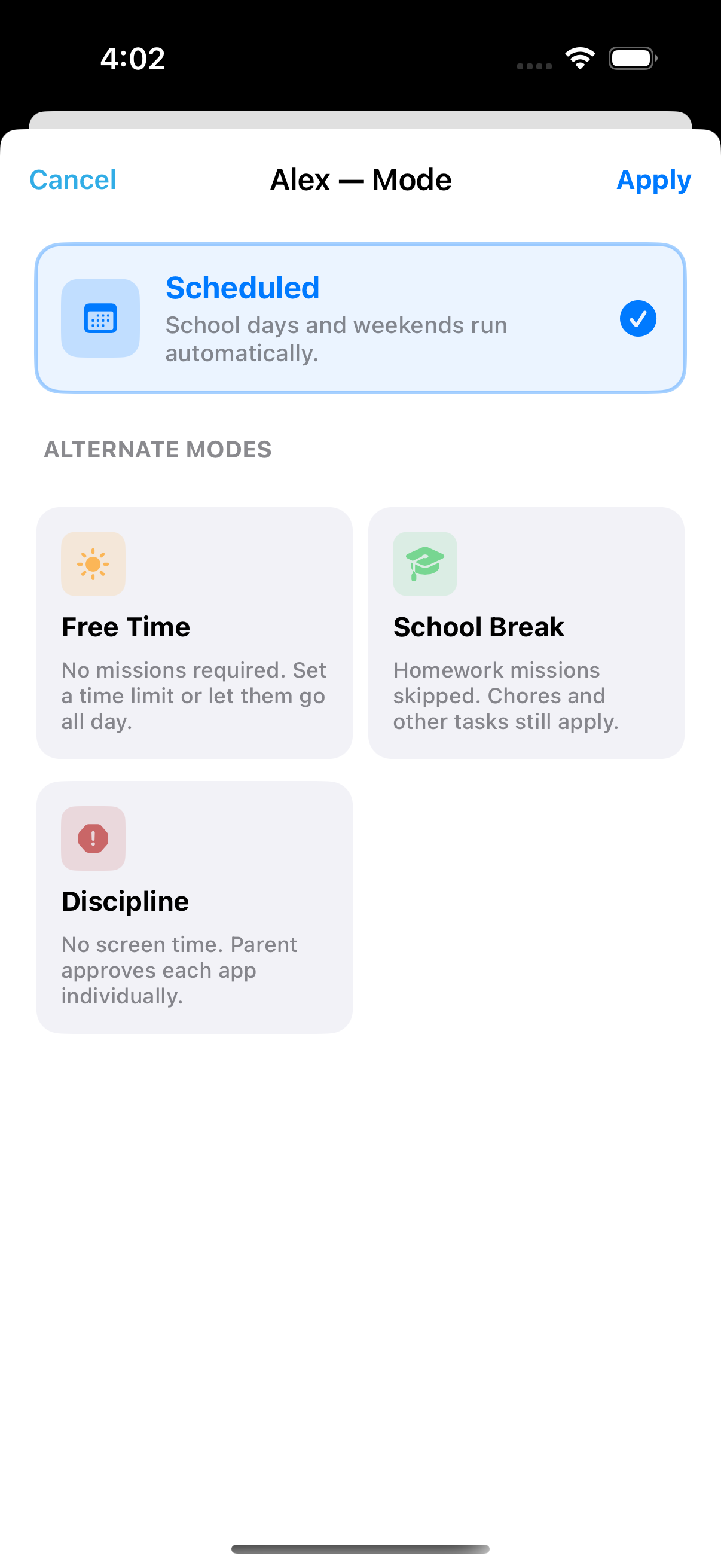
Flip between modes whenever life calls for it — no reconfiguring.
Free TimeSchool BreakDisciplineBedtime LockDowntimeQuickLockFamily Mode goes further — pause, holiday, or discipline for everyone in one tap.
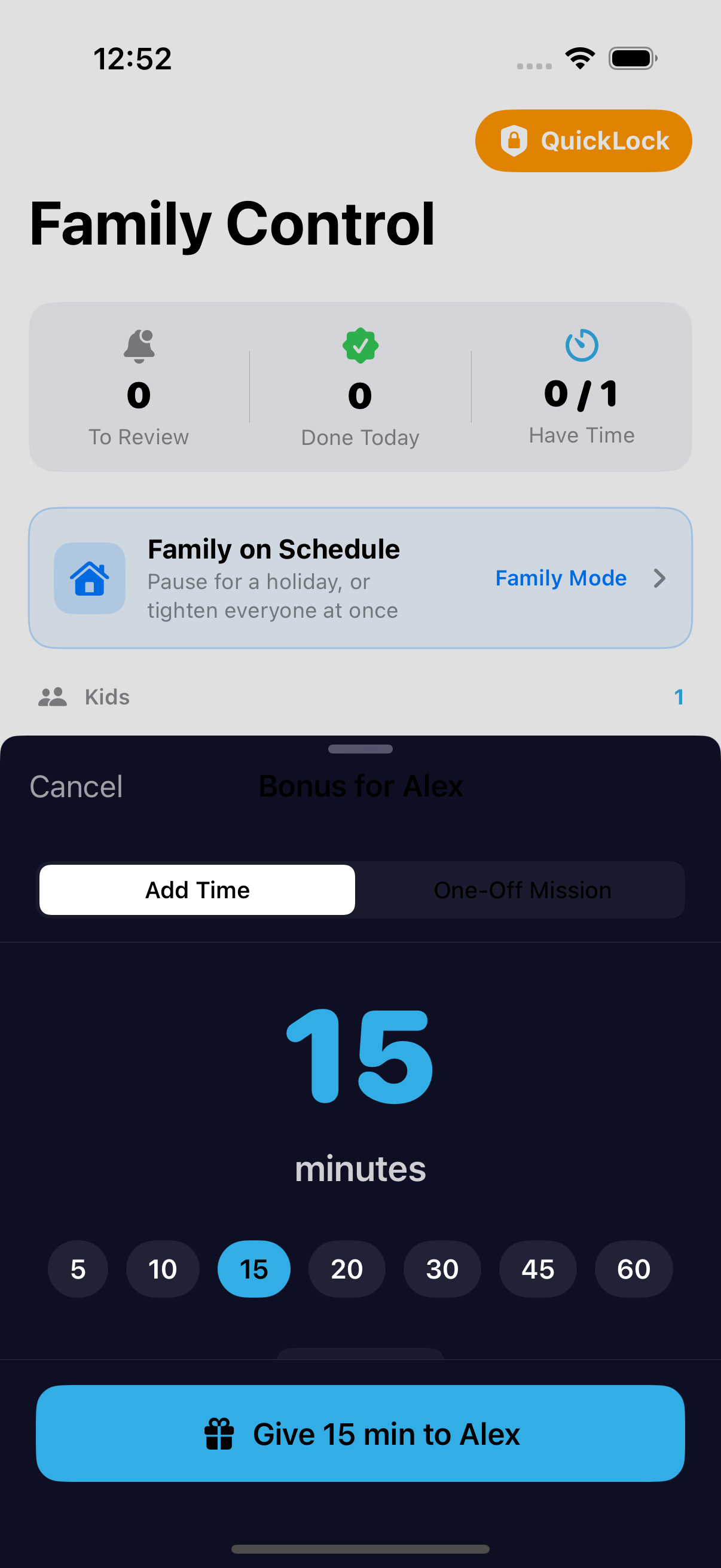
Plus bonus time, rollover, per-app limits, and learning prerequisites when you want them.
Take the interactive tour →Enforcement lives on the kid's own device, built on Apple's Screen Time framework. It's OS-level: limits, bedtime, and downtime keep working after a reboot, with the app closed. On a managed child Apple ID, your kid can't disable or delete it without your Screen Time passcode — and you manage everything else remotely over iCloud.
On a managed child account, it can't be turned off or deleted without your Screen Time passcode.
OS-level enforcement keeps working even after a reboot, with the app closed.
Your family's data stays in your own iCloud. We never sell or share it.
Approve in person or remotely, with photo-proof options for bigger tasks.
Reward a great day, or let unused time carry over.
Schedule device locks that the OS enforces automatically.
Cap specific apps and approve "more time" requests in the moment.
Add a co-parent or guardian — even across households.
Hand the phone over with a timed, PIN-protected lock. Always free.
Leading alternatives typically charge $50–$130 a year. ChronoKeeper does more, for less.
Approximate published prices for popular parental-control apps; for comparison only.
Planned pricing at launch — a free 30-day trial, no credit card. Every plan includes unlimited kids and all guardian slots. Early-access families get launch-day perks.
The easiest way to start — less than a dollar a month. Everything included, always up to date. Cancel anytime.
Just three years of the annual plan — then it's yours forever. Same everything, no subscription, no renewals.
QuickLock is always free. Enforcement runs during your trial and any active plan; if a subscription lapses past Apple's grace period, the device returns to a normal, unmanaged state.
ChronoKeeper is in closed beta right now. Join the early-access list and we'll reach out as spots open up — and tell you the day it hits the App Store.
Opens an email to hello@3k2p.com — just hit send. Parent/guardian email only; we never collect anything about children.